
The Multiresolution Segmentation algorithm locally minimizes the average heterogeneity of image objects for a given resolution of image objects. It can be executed on an existing image object level or the pixel level for creating new image objects on a new image object level.
Please take a look at the video provided here that explains how to create image objects using the powerful Multiresolution Segmentation (MRS): Video - Multiresolution Segmentation

The multiresolution segmentation algorithm consecutively merges pixels or existing image objects. Thus it is a bottom-up segmentation algorithm based on a pairwise region merging technique. Multiresolution segmentation is an optimization procedure which, for a given number of image objects, minimizes the average heterogeneity and maximizes their respective homogeneity.
The segmentation procedure works according the following rules, representing a mutual-best-fitting approach:
- The segmentation procedure starts with single image objects of one pixel and repeatedly merges them in several loops in pairs to larger units as long as an upper threshold of homogeneity is not exceeded locally. This homogeneity criterion is defined as a combination of spectral homogeneity and shape homogeneity. You can influence this calculation by modifying the scale parameter. Higher values for the scale parameter result in larger image objects, smaller values in smaller image objects.
- As the first step of the procedure, the seed looks for its best-fitting neighbor for a potential merger.
- If best fitting is not mutual, the best candidate image object becomes the new seed image object and finds its best fitting partner.
- When best fitting is mutual, image objects are merged.
- In each loop, every image object in the image object level will be handled once.
- The loops continue until no further merger is possible.
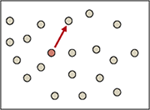
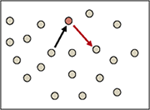
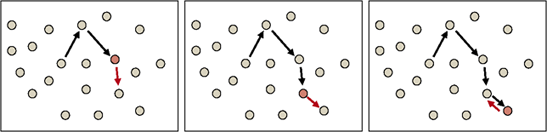
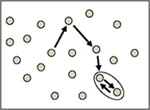
The procedure continues with another image object’s best neighbor. The procedure iterates until no further image object mergers can be realized without violating the maximum allowed homogeneity of an image object.
With any given average size of image objects, multiresolution segmentation yields good abstraction and shaping in any application area. However, it has higher memory requirements and significantly slower performance than some other segmentation techniques and therefore is not always the best choice.
Supported Domains
Pixel level; Image Object Level
Level Settings
Level Name
The Level Name field lets you define the name for the new image object level. It is only available if a new image object level will be created by the algorithm. To create new image object levels, use either the domain Pixel Level in the process dialog or set the Level Usage parameter to Create Above or Create Below.
Overwrite Existing Level
This parameter is only available when Pixel Level is selected. It allows you to automatically delete an existing image level above the pixel level and replace it with a new level created by the segmentation.
Level Usage
Select one of the available modes from the drop-down list. The algorithm is applied according to the mode based on the image object level that is specified by the domain. This parameter is not visible if pixel level is selected as domain in the Edit Process dialog box.
- Use Current applies multiresolution segmentation to the existing image object level. Objects can be merged and split depending on the algorithm settings
- Use Current (Merge Only) applies multiresolution segmentation to the existing image object level. Objects can only be merged. Usually this mode is used together with stepwise increases of the scale parameter
- Create Above creates a copy of the image object level as super objects
- Create Below creates a copy of the image object level as sub objects.
Segmentation Settings
Image Layer Weights
Image layers can be weighted depending on their importance or suitability for the segmentation result. The higher the weight assigned to an image layer, the more weight will be assigned to that layer’s pixel information during the segmentation process, if it is used. Consequently, image layers that do not contain the information intended for representation by the image objects should be given little or no weight. For example, when segmenting a geographical LANDSAT scene using multiresolution segmentation or spectral difference segmentation, the segmentation weight for the spatially coarser thermal layer should be set to 0 in order to avoid deterioration of the segmentation result by the blurred transient between image objects of this layer.
- In the Algorithm parameters area, expand the Image Layer weights list and set the weight of the image layers to be considered by the algorithm. Select an image layer and edit the respective weight value.
- Alternatively you can insert the weights in the value field of the parameter Image layer weights, separated by a comma, e.g.: 0,0,1
- You can also use a variable as a layer weight.
Compatibility mode
Compatibility mode to select previous versions of this algorithm. Keep latest version if you want to benefit from upgrades of this algorithm in future software releases. Choose current version to ensure that results will not change in future software versions.
Thematic Layer Usage
Specify the thematic layers to be candidates for segmentation. Each thematic layer that is used for segmentation will lead to additional splitting of image objects while enabling consistent access to its thematic information. You can segment an image using more than one thematic layer. The results are image objects representing proper intersections between the thematic layers.
Scale Parameter
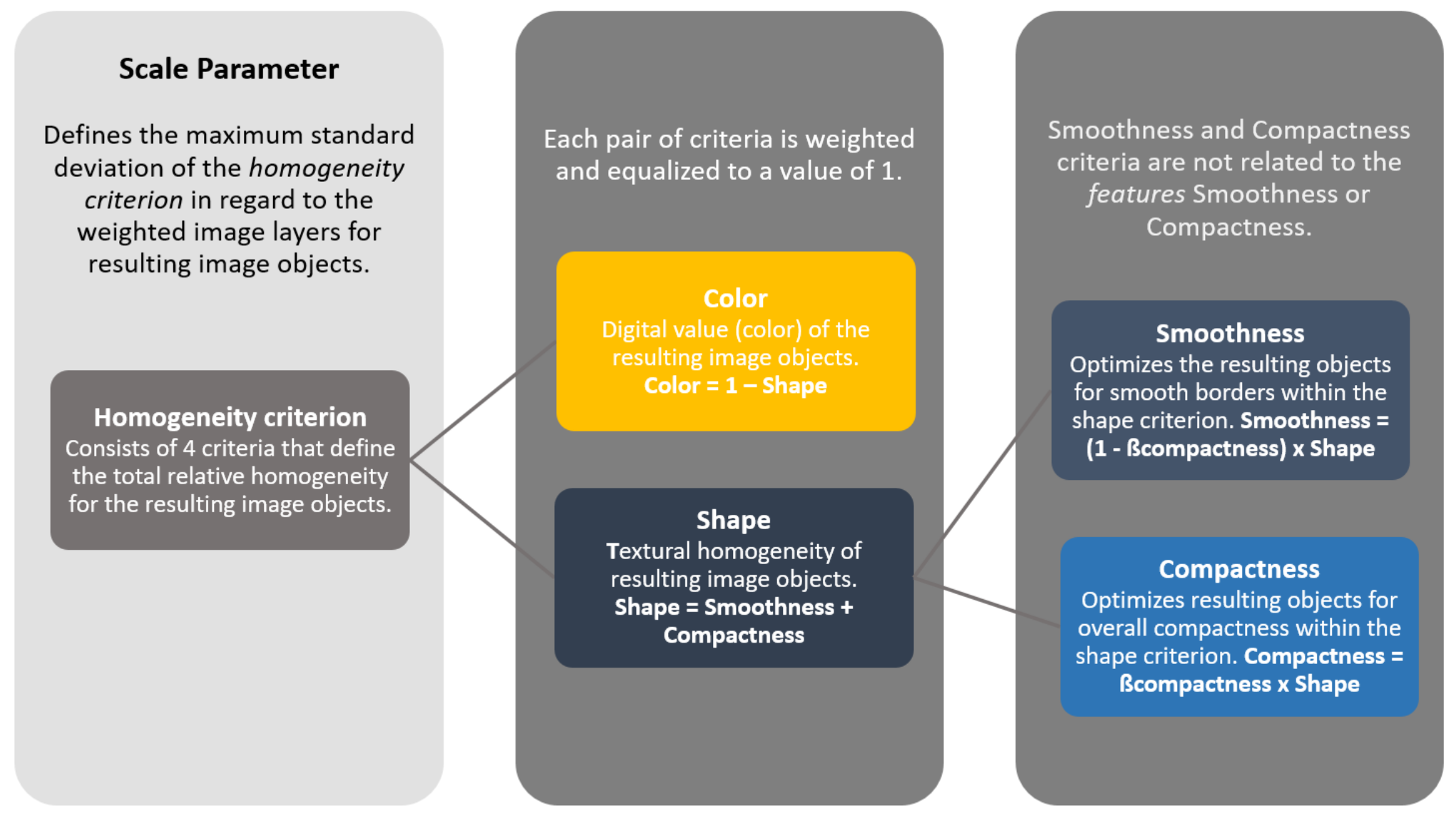
The Scale Parameter is an abstract term that determines the maximum allowed heterogeneity for the resulting image objects. For heterogeneous data, the resulting objects for a given scale parameter will be smaller than in more homogeneous data. By modifying the value in the Scale Parameter value you can vary the size of image objects.
Always produce image objects of the biggest possible scale that still distinguish different image regions (as large as possible and as fine as necessary). There is a tolerance concerning the scale of the image objects representing an area of a consistent classification due to the equalization achieved by the classification. The separation of different regions is more important than the scale of image objects.
Composition of Homogeneity Criterion
The object homogeneity to which the scale parameter refers is defined in the Composition of Homogeneity criterion field. In this circumstance, homogeneity is used as a synonym for minimized heterogeneity. Internally, three criteria are computed: color, smoothness, and compactness. These three criteria for heterogeneity may be applied in many ways although, in most cases, the color criterion is the most important for creating meaningful objects. However, a certain degree of shape homogeneity often improves the quality of object extraction because the compactness of spatial objects is associated with the concept of image shape. Therefore, the shape criteria are especially helpful in avoiding highly fractured image object results in strongly textured data (for example radar data).
Shape
The value of the Shape field modifies the relationship between shape and color criteria; By modifying the Shape criterion,1 you define the color criteria (color = 1 – shape). In effect, by decreasing the value assigned to the Shape field, you define to which percentage the spectral values of the image layers will contribute to the entire homogeneity criterion. This is weighted against the percentage of the shape homogeneity, which is defined in the Shape field.
Changing the weight for the Shape criterion to 1 will result in objects more optimized for spatial homogeneity. However, the shape criterion cannot have a value larger than 0.9, due to the fact that without the spectral information of the image, the resulting objects would not be related to the spectral information at all. The slider bar adjusts the amount of Color and Shape to be used for the segmentation.
In addition to spectral information, the object homogeneity is optimized with regard to the object shape, defined by the Compactness parameter.
Compactness
The compactness criterion is used to optimize image objects with regard to compactness. This criterion should be used when different image objects which are rather compact, but are separated from non-compact objects only by a relatively weak spectral contrast. Use the slider bar to adjust the degree of compactness to be used for the segmentation.